
When signing up as a member with the Smart Energy Council you will receive an email with the Subject 'You've been invited to join the Smart Energy Council Smart Portal'.
If you copy and paste this subject line into the search bar of your email inbox you should find it. Remember to check you Spam and Junk folders just in case.
The email looks like this:
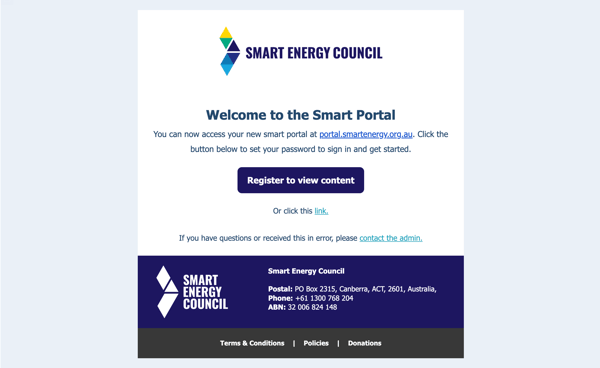
You must click the 'Register to View Content' button and set your password for the portal in order to be able to log in.
If this has not been done you will not be able to log in to the portal.
If you are unable to locate the email please reach out through our contact page.
Our corporate memberships, Small Business, Essential, Standard, Premium and Executive, can invite members of their team to join the members portal.
If you were not the person who set the membership up on behalf of the organisation you will need to speak to the person who did to gain access. Until you are added to the membership you will not have access to our Portal.